My profile
Your name and photo, the app language, changing your password, e-mails from Questo and an overview of your spaces.
On this page5
My profile is your Questo account. It applies in all spaces you are in. Open it by clicking your name at the bottom of the navigation on the left. Settings that apply to a whole space (addressing students, the plan) are in Space settings.
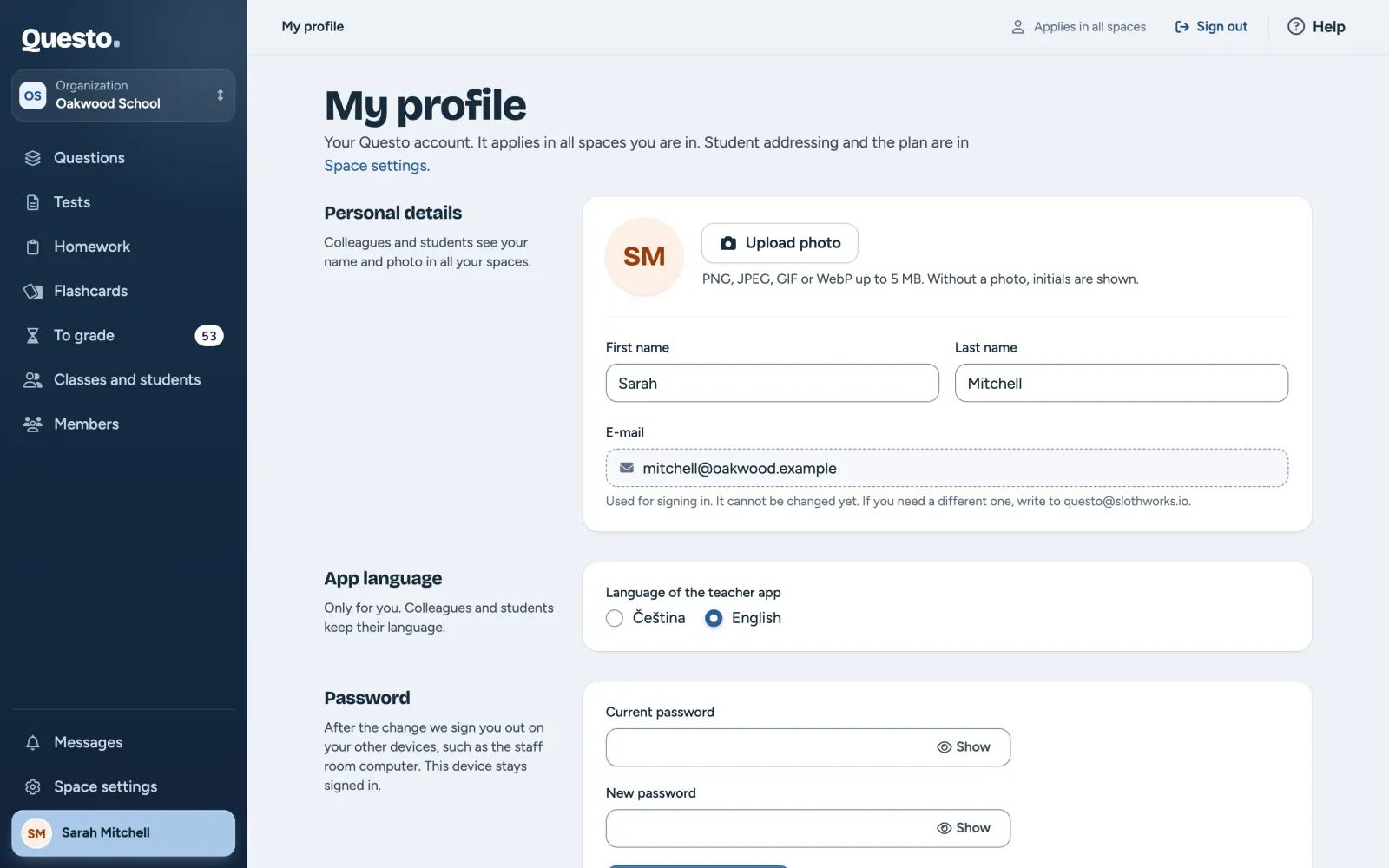
Personal details
Colleagues and students see your name and photo in all your spaces.
- Upload photo (or Change photo) uploads a PNG, JPEG, GIF or WebP image up to 5 MB. Remove photo deletes it; your initials are shown instead.
- After changing “First name” or “Last name”, click Save name.
- The “E-mail” is used for signing in. It cannot be changed yet. If you need a different one, write to questo@slothworks.io.
On a phone this section is not shown; change your name, photo and e-mail on a computer.
App language
Choose “Čeština” or “English”. The choice is saved at once and applies to your account on every device. Colleagues and students keep their language.
Password
- Fill in your “Current password” and a “New password”.
- Click Change password.
After the change we sign you out on your other devices, such as the staff room computer. The device you change the password on stays signed in.
If you do not remember your current password, click Forgot your current password?. We send you a link by e-mail to set a new one.
E-mails from Questo
The “News and tips by e-mail” switch turns on or off the occasional e-mails about what is new in Questo and tips on saving time with it. You can also unsubscribe with the link in any of those e-mails.
My spaces
The spaces you are in, with your role in each. Switch takes you to a space; the one you are in now says “You are here now”. The owner or an admin of a school changes your role there (see Members and roles).